
Word, Excel, PowerPoint and email/internet skills needed in almost every workplace.
Quick answer
MS Office with AI at TIIT Computer Education, Mira Road is a 1.5-month, classroom-and-lab course. Word, Excel, PowerPoint and email/internet skills needed in almost every workplace. It covers MS Word Essentials, MS Word with AI, MS Excel Essentials, MS Excel with AI and 6 more modules. Eligibility: no prior computer experience required. On completion you get an ISO 9001:2015 & NSDC-authorised TIIT certificate with a QR code that anyone can verify online.
Information reviewed: 1 October 2026 · Fees and current batch timings: call or WhatsApp +91 90768 32616
A short, focused course covering the office software and internet skills used in almost every job today — perfect if you need practical, everyday skills quickly.
The pace is kept quick and practical, built for people who need working office skills soon rather than a long academic course — you'll draft documents, build spreadsheets and presentations, and handle everyday email and browsing tasks using real, common scenarios.
It's a good fit as a fast refresher, or as preparation before attempting a broader certificate like CCC or MS-CIT.
Students join this course from Bhayandar, Dahisar and nearby areas, attending classes at whichever of our Mira Road, Bhayandar or Boisar branches is closest to them.
Learn from experienced trainers who bring real industry practice into every session.
Spend most of your time in the lab building real projects, not just watching slides.
Earn an ISO 9001:2015 & NSDC-recognized certificate valued by employers.
Get support with resume building, interview prep and job referrals.
Choose weekday, weekend or evening batches that fit your schedule.
Learn in well-equipped labs with the same tools this course actually uses.
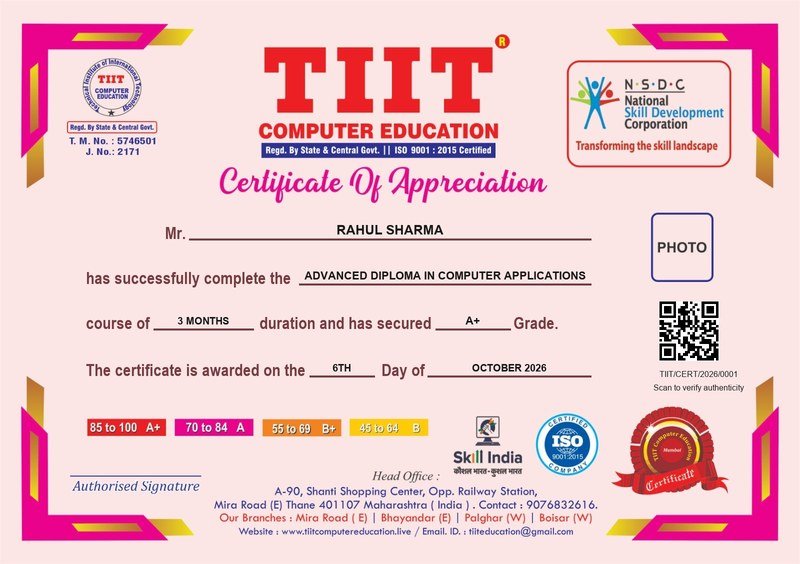
On successful completion, you receive an official TIIT Computer Education certificate for MS Office with AI.
Placement assistance included — resume building, interview preparation and job referrals.
The same MS Office syllabus, trainers' standards and certificate are offered at every TIIT branch. Find the branch nearest to where you live:
| You live in | Nearest TIIT branch | How to reach |
|---|---|---|
| Dahisar (East & West) | Mira Road (East) – Head Office | 1 station to Mira Road (about 5 min); the branch is right opposite Mira Road station (East). |
| Mira Road & Kashimira | Mira Road (East) – Head Office | Walk from Mira Road station (East), or a short auto/bus ride from Kashimira. |
| Bhayandar & Naigaon | Bhayandar (East) | Naigaon is the very next station after Bhayandar (about 5 min). |
| Vasai, Nalasopara & Virar | Bhayandar (East) | Western line local to Bhayandar – about 10 min from Vasai Road, 15 from Nalasopara, 20–25 from Virar. |
| Palghar, Saphale & Kelve Road | Boisar (West) | Palghar is 2 stations from Boisar (about 10–12 min by train); Saphale is a few stations further south. |
| Boisar, Tarapur & Umroli | Boisar (West) | Our Boisar branch is on Tarpur (Tarapur) Road, above Brijwasi Sweets, opposite Shiv Mandir. |
All branches: Mon–Sat, 9:00 AM–7:00 PM · +91 90768 32616 · See all areas we serve →
Common questions about the MS Office course at TIIT Computer Education, Mira Road.
Word, Excel, PowerPoint and email/internet skills needed in almost every workplace. A short, focused course covering the office software and internet skills used in almost every job today — perfect if you need practical, everyday skills quickly.
Yes. No prior computer experience is needed. You start with Word, Excel and PowerPoint essentials and then learn the AI writing, formula and slide-design features.
MS Office with AI is a short 1.5-month course for practical office skills. DCA is longer (3–6 months) and adds computer fundamentals, typing and basic accounting – better if you want a diploma for your resume.
The MS Office course runs for 1.5 Months. Morning, evening and weekend batches are available at our Mira Road, Bhayandar and Boisar branches, so students and working people can both attend.
Eligibility: No prior computer experience required. If you are unsure whether you are ready, book a free demo class and a counsellor will check your current level.
The syllabus has 10 modules: MS Word Essentials, MS Word with AI, MS Excel Essentials, MS Excel with AI, MS PowerPoint Essentials, MS PowerPoint with AI, MS Outlook & Email, Practical Office Project, Internet & Online Collaboration and Practical Assessment. Each module is practical, lab-based work rather than lecture-only teaching.
Typical roles include Office Assistant, Data Entry Operator, Admin Executive and Computer Operator. TIIT also helps with your resume, interview preparation and job referrals after you complete the course.
Fees depend on the batch, branch and any ongoing offer, so we share the exact current fee on call or WhatsApp at +91 90768 32616. Instalment options are available – ask the counsellor during your free demo.
Yes. TIIT is an ISO 9001:2015 certified, NSDC-authorised training centre. Every certificate has a unique number and a QR code, and anyone can verify it on our certificate verification page.
Dahisar and Kashimira students attend our Mira Road head office (opposite Mira Road station, East). Naigaon, Vasai, Nalasopara and Virar students usually choose the Bhayandar branch. Saphale, Palghar and Boisar/Tarapur students attend the Boisar branch (Palghar is about 10–12 minutes from Boisar by train).
Yes. Fill the enquiry form on this page or call +91 90768 32616. A counsellor will call you back the same day and book a free demo at the branch nearest to you.
Talk to our counsellors and get a free demo class before you enroll.
Book Free Demo Class